

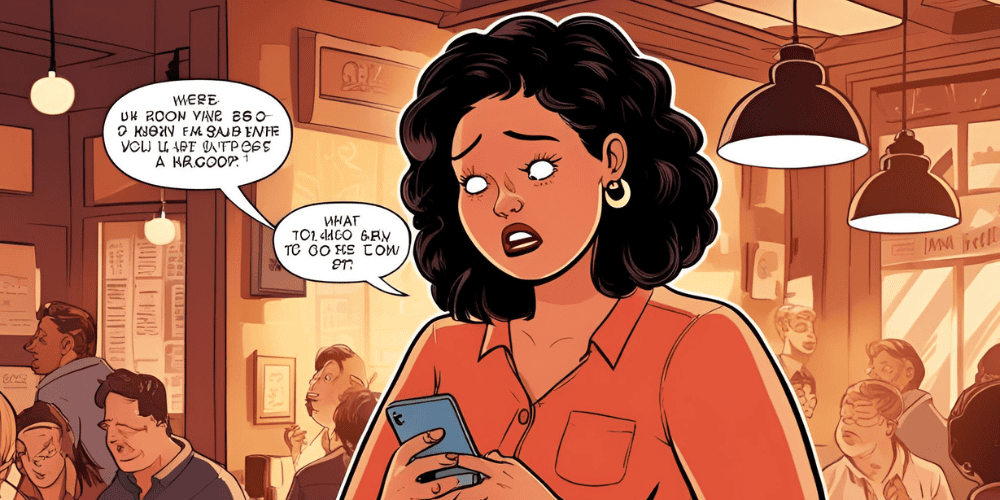

We’ve all been there—reading an email that makes absolutely no sense. Maybe it’s filled with jargon, unclear instructions, or just plain confusing statements. But how do you respond when you’re left scratching your head, wondering, “What the heck are they talking about?” The answer lies in mastering the art of email etiquette.
In the world of professional communication, it’s not always possible to ask someone in person what they mean without feeling awkward. So, what do you do when you need clarity but don’t want to seem rude or unprofessional? Well, grab your keyboard because we’re about to walk through the best strategies to navigate these sticky situations while keeping your composure and professionalism intact.
1. Be Polite, But Direct
When faced with an email that leaves you confused, the key to responding is being polite but to the point. Email etiquette requires you to ask for clarification in a way that doesn’t make the sender feel bad. Instead of immediately saying, “What the heck are you talking about?” try something like:
“I’m not sure I fully understand your point here. Could you please clarify the specifics on [insert topic]?”
This phrasing is direct but respectful, giving the sender an opportunity to elaborate without feeling criticized.
2. Don’t Assume the Worst
Before firing off a snarky email or immediately judging the sender’s communication skills, take a moment to consider that it could simply be a case of miscommunication or a typo. Email etiquette includes understanding that sometimes emails are hastily written or formatted in a way that doesn’t translate well.
If the email is a bit unclear but you don’t want to come off as frustrated, you can gently acknowledge the possible reason for confusion:
“I’m not entirely sure I’m following the details in your last email. It could be my misunderstanding—could you help me clarify the part about [insert topic]?”
By giving the sender the benefit of the doubt, you’re able to keep the tone light and professional.
3. Ask for Examples or Context
Sometimes, confusion in emails arises from a lack of context. If the message isn’t clear because there’s missing background information, don’t hesitate to ask for more details. Email etiquette encourages asking for clarification in a way that promotes an ongoing conversation, not a dead end. A simple way to ask for more context might be:
“I’d love to understand this more. Could you provide a bit more context or an example of what you mean?”
This helps to get the conversation moving in the right direction without sounding frustrated.
4. Rephrase the Message Back to Them
If you’re having trouble understanding their message, one effective email etiquette trick is to rephrase what they said in your own words and ask if you’re correct. This not only shows that you’re making an effort to understand, but it also gives them a chance to correct any misunderstandings right away. Try something like:
“Just to make sure I’m on the same page, are you saying that [insert your understanding of the topic]? Please let me know if I’m off the mark.”
This approach is both diplomatic and helpful in clearing up any confusion quickly.
5. Use Humor, But With Caution
Sometimes humor can ease the tension of a confusing email, but email etiquette warns against using humor in a way that might be misinterpreted. If you feel comfortable enough with the person you’re emailing, you can try a lighthearted approach, but it’s essential to strike the right tone. Here’s an example of how to keep it friendly without crossing any lines:
“Okay, I’m going to be honest—I’m a little confused here! Could you help me untangle this? I want to make sure I’m understanding everything correctly.”
This keeps the conversation light and conveys that you’re asking for clarification in a non-judgmental way. However, be careful with humor in professional settings—it’s best used only when you have an established rapport with the recipient.
6. Suggest a Quick Call or Meeting
Sometimes, an email exchange just isn’t the best way to clarify things. Email etiquette dictates that, if the message is complicated, offering a brief phone call or virtual meeting can be a great solution. You could suggest:
“It sounds like there might be some details I’m missing here. Would you be open to a quick call to go over it? I think it would be easier to clarify everything in real-time.”
Offering an alternative communication channel shows that you’re eager to get things sorted out quickly, and it often leads to more productive conversations than continued back-and-forth emailing.
7. Use Clear and Simple Language
If you’ve received a confusing email, don’t be afraid to ask for information to be broken down into simpler terms. Email etiquette encourages you to avoid using overly complex phrases when asking for clarification, as this might make you sound defensive or condescending. Instead, you could phrase it like:
“I think I need a bit more detail to fully understand your request. Could you break this down in simpler terms?”
This keeps the tone neutral and makes it clear that you’re seeking understanding, not criticizing.
8. Acknowledge Their Effort
It’s always a good idea to show appreciation for the effort the sender put into their email—even if it was confusing. Email etiquette encourages creating a positive tone, and acknowledging their effort can soften any frustration you may feel. You might say something like:
“Thanks for sending over this information! I’m a bit unclear on a few points, and I’d love to clarify [insert topic] so we can make sure we’re on the same page.”
This complements their initiative while gently guiding them to provide more clarity. Plus, it helps to maintain a positive, professional tone.
9. Offer Suggestions for Future Communication
If you’re finding that emails are often unclear, it might be a good idea to provide constructive feedback on how to improve communication moving forward. Email etiquette includes ensuring that you maintain professionalism even when suggesting improvements. You could say:
“Thanks for your emails. I sometimes find it helpful when information is organized in bullet points or with more specific examples. This makes it easier to follow.”
This offers a solution without sounding critical and helps the sender understand how to communicate more effectively with you.
10. Stay Patient and Professional
Lastly, even if you’ve asked for clarification multiple times and still don’t understand what’s going on, it’s important to remain patient and professional. It can be frustrating, but showing a calm demeanor and perseverance will reflect well on you in the workplace. Email etiquette is all about maintaining grace under pressure, even when the situation is a little annoying.
If the email exchanges become increasingly confusing, gently escalate the situation to someone else who can help, or ask for further clarification from a manager or colleague who understands the context better.
Mastering the Art of Professional Email Etiquette
When faced with a confusing email, it’s tempting to respond in frustration, but mastering email etiquette will help you navigate these moments with ease and professionalism. By asking for clarification politely, rephrasing the message, or even offering to talk over the phone, you’ll ensure that your communication remains effective, respectful, and clear. So next time you’re left wondering, “What the heck are they talking about?” remember: a well-crafted response is the key to keeping your professional relationships strong and your inbox stress-free.
MORE: Rich Girl Energy: Smart Money Moves Every Woman Should Make
You May Also Like



Browse PMM Today

Yes, Size Diversity in Fashion Is Still Missing

Signs You’re Officially a ‘Put on Comfy Clothes as Soon as You Get Home’ Person
From Runway to Revolution: Gwen DeVoe is Just Getting Started
Cash In on Your Free Time: 10 Side Hustles to Boost Your Finances

Summer-to-Fall Emotional Reset: A Fun, Gentle Guide for Women Embracing Change

How to Be That Girl (Even When You’re Running on Coffee & Chaos)
Explore by topic: Models & Modeling · Cover Model · Fashion, Style & Beauty · Featured Interviews · Trends